
Every weather product. Pre-flight and airborne.
Tropiq brings the full meteorological picture into your flight workflow — from the prog charts you study two weeks out to the Skew-T sounding you pull up when you're picking up ice at altitude. Reference products, live radar and satellite, and in-flight decision tools. Everything a serious pilot needs to fly weather with confidence.
The full meteorological library.
From the SPC convective outlook three days ahead to the Center Weather Advisory issued 20 minutes ago — Tropiq's reference imagery covers the full forecast horizon. Study fronts and precipitation trends before you touch a route. Drill into icing probability by altitude and time step as the flight approaches. Cross-check PIREPs from pilots who flew the corridor this morning. Every product a briefer or dispatcher consults, without leaving your flight planning workflow.
- Advisories: G-AIRMETs (Sierra, Tango, Zulu), SIGMETs, and Center Weather Advisories
- Icing probability and severity at altitude — CIP, FIP, and SLD analysis — 0 to 18 hours
- Turbulence: GTG combined, clear air, and mountain wave forecasts with altitude selection
- SPC Convective Outlook — Day 1, 2, and 3 with probabilistic products and mesoscale discussions
- Surface Analysis and Low-Level Prog charts out to 60 hours
- Winds and temps aloft — five altitude bands from surface through FL520
- GFA cloud and surface forecast panels — 3 to 18 hours across 9 CONUS regions
- PIREPs by altitude with age filtering; TFRs with effective times and altitude restrictions

What the sky is doing right now.
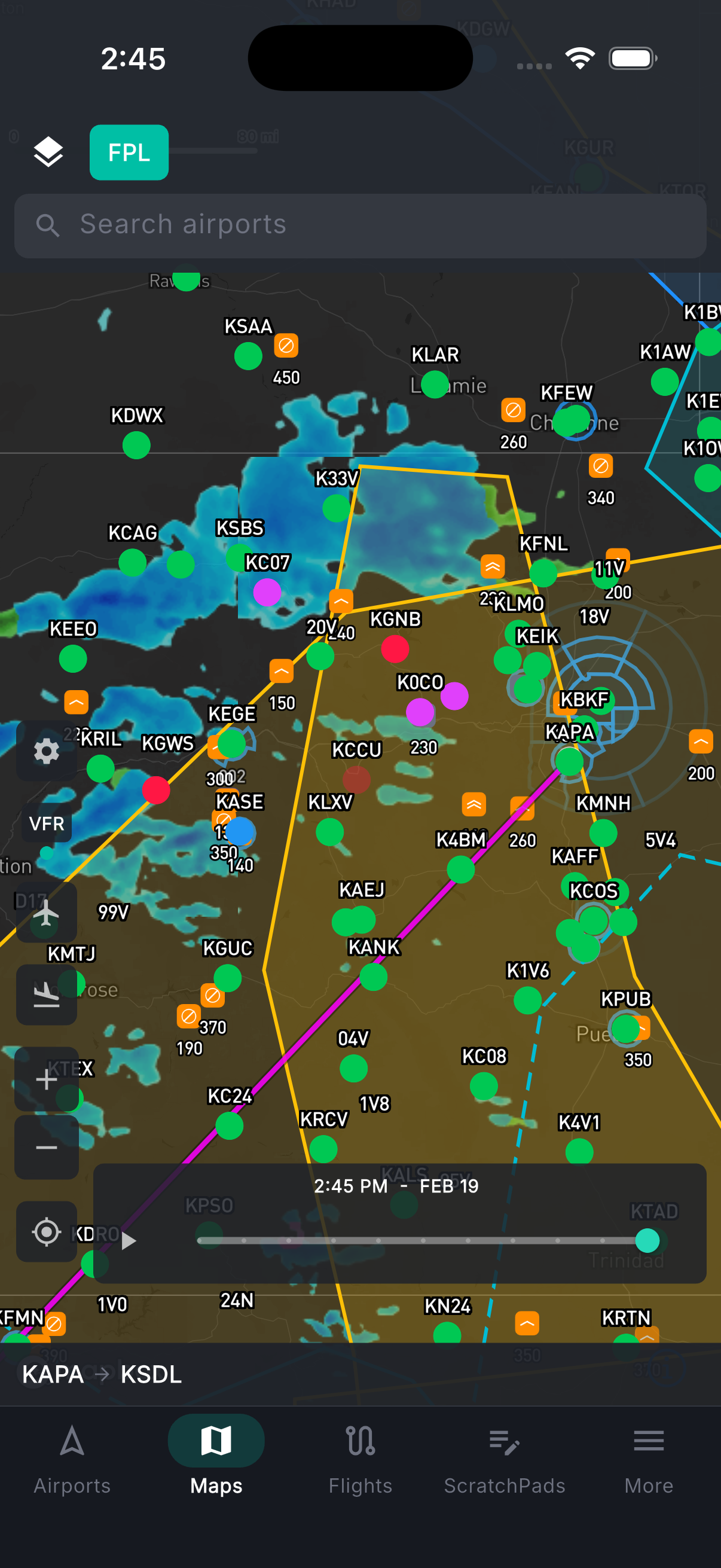
All the real-time and recently observed data, in one place. Animated NEXRAD composite radar refreshes every two minutes with frame-by-frame playback. Satellite in three modes — GeoColor day/night composite, infrared for cloud-top temperatures, and visible-light for the highest-resolution daytime imagery. Flight category color-coded at every METAR station: see at a glance where VFR ends and IFR begins. Surface weather from live METARs across the map: wind barbs, temperature, ceiling, and visibility. Storm cells with forecast tracks. Lightning threat areas. NWS weather alerts and warnings.
- Animated NEXRAD composite radar — 2-minute refresh with frame-by-frame playback
- Satellite: GeoColor day/night composite, infrared (cloud-top temps), and visible-light
- Flight category: VFR / MVFR / IFR / LIFR color-coded at every reporting airport
- Surface weather: wind barbs, temperature, visibility, and ceiling from live METARs
- Storm cells with forecast tracks; lightning threat areas; NWS weather alerts
In the air — knowing where to go.
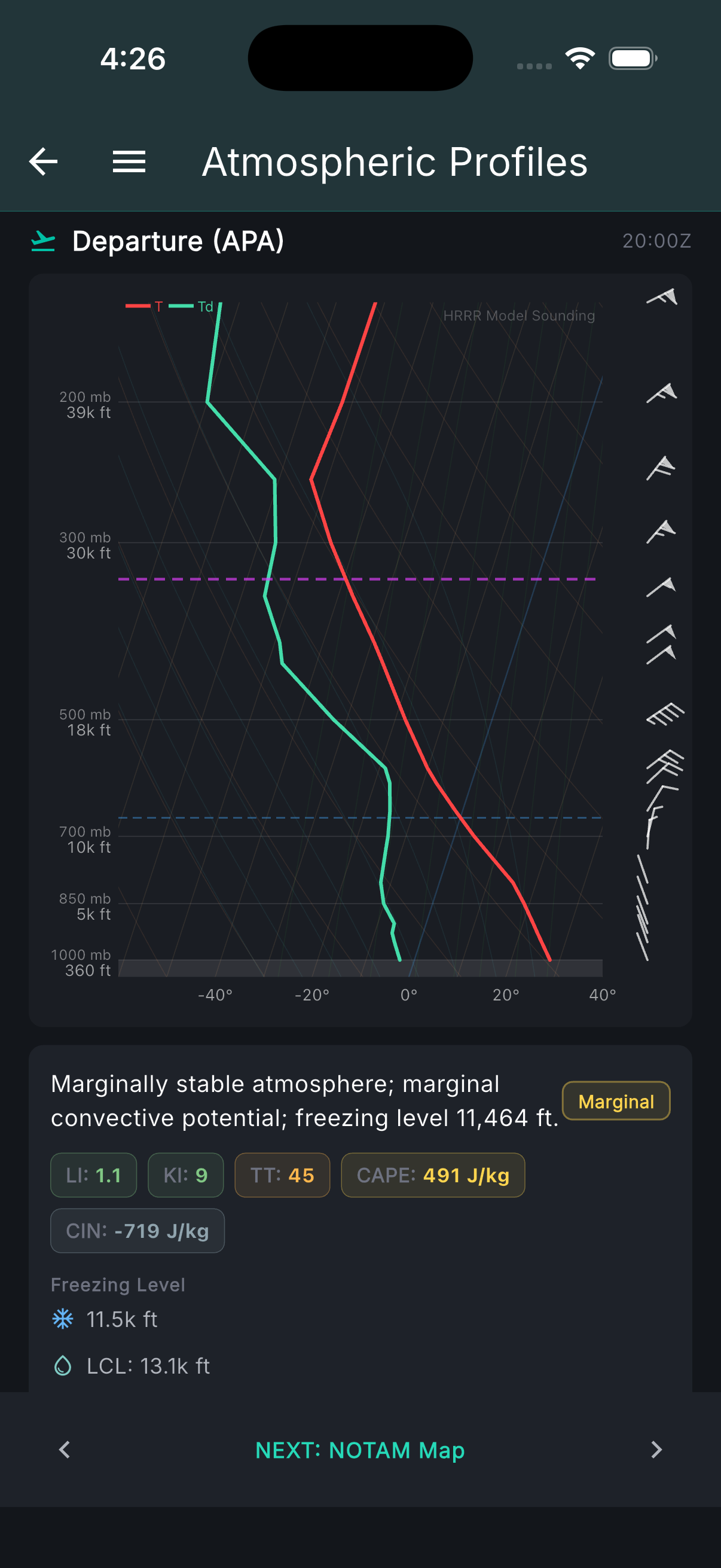
When you're in the soup and need to make a call, the weather tools are still there. HRRR soundings give you the full atmospheric profile at your position — Skew-T diagrams showing cloud layers, icing bands by altitude, and freezing levels, so you can see whether climbing above the ice or descending below it is actually an option before you try it. The vertical cross-section shows the full atmospheric column along the route ahead: where the clouds are, where stability breaks down, where the winds shift. Current icing (CIP) and forecast icing (FIP) show where ice exists now and where it's going. HRRR forecast flight category shows where IFR conditions end — which direction gets you back to VMC. PIREPs from nearby aircraft add real reports from pilots in similar conditions minutes ago.
- HRRR soundings: Skew-T, cloud layers, icing bands by altitude, freezing levels
- Vertical cross-section: full atmospheric column along the route ahead — clouds, stability, winds
- Current icing (CIP) and forecast icing (FIP): where ice is and where it's going
- HRRR forecast flight category: see where IFR ends and which direction to divert
- PIREPs from nearby aircraft in similar conditions
Want to see how all of this affects your specific route?
Tropiq's briefing takes every one of these products and filters it to your filed route, altitude, and departure window — then organizes it around the questions you're actually trying to answer.