Plan the flight. Not the software.
Have a meeting in Austin on Thursday? Tell the Dispatcher. Prefer to build it yourself? Every tool is there. Either way, you leave with a complete plan — filed and ready to go.
Build the route, your way.
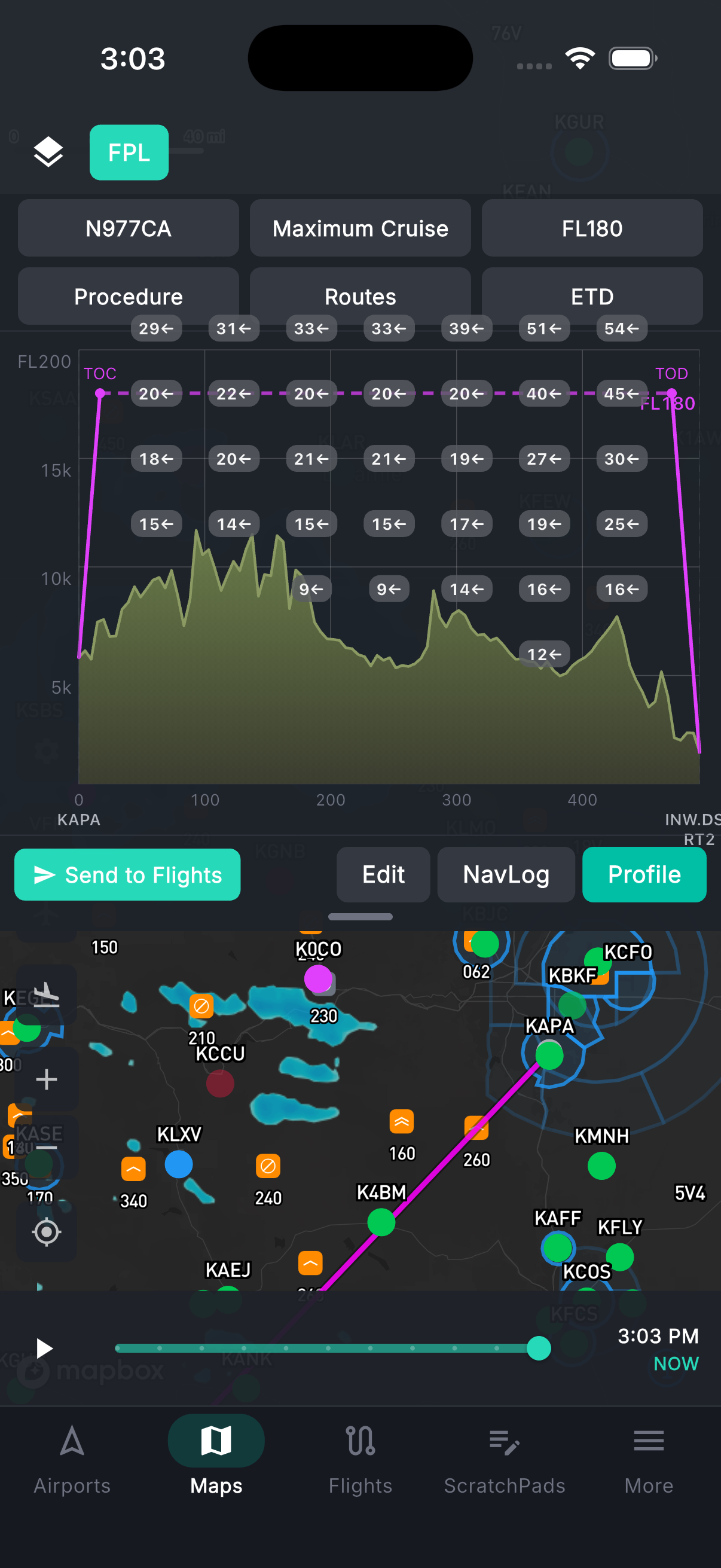
Free-text route entry supports airways, direct segments, fixes, and navaids — type it the way you'd read it back to ATC. One tap pulls FAA preferred routes, TEC routes, and NARs between your departure and destination. The altitude picker is hemispheric rule-aware and shows wind component, ETE, and fuel burn at each candidate altitude so the choice is obvious. Every fix is validated in real time with connectivity checking, and waypoints are reorderable by drag. As you build, the numbers update: great-circle distances, wind-corrected ETE, phase-based fuel burn across climb, cruise, and descent.
- Route string editor: airways, direct, fixes, navaids
- FAA preferred IFR routes, TEC routes, and NARs — one tap
- Altitude picker with wind component, ETE, and fuel burn at each option
- Real-time waypoint and airway connectivity validation
- Drag-to-reorder waypoints on the map
Performance numbers your aircraft actually flies.
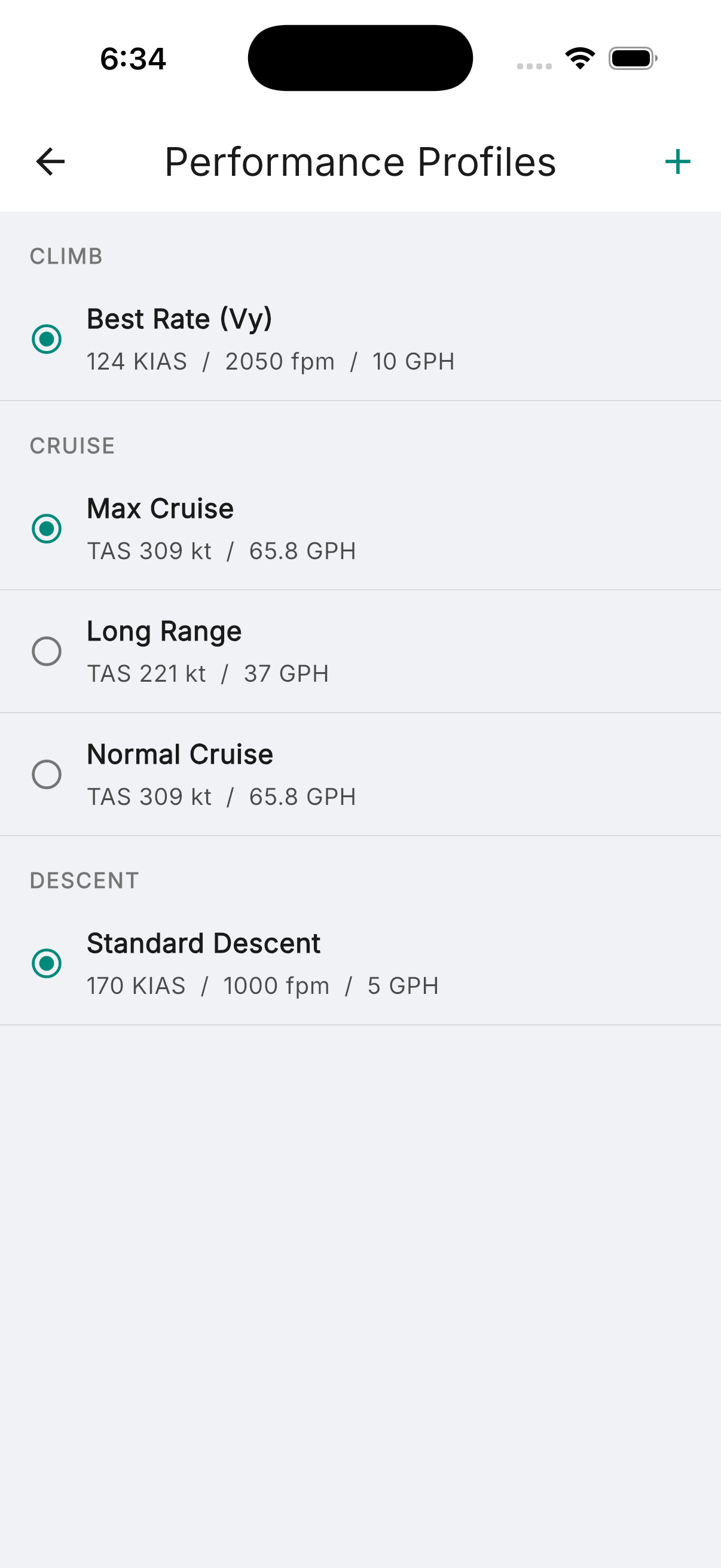
Full performance profiles by altitude, pressure altitude, density altitude, and climb and descent phases — not generic estimates. For select aircraft, takeoff distance is computed based on density altitude and landing distance based on runway contamination: dry pavement, wet pavement, dry grass, wet grass. Live METAR data auto-populates wind, temperature, and altimeter setting at your departure and destination. Results include ground roll, total distance over a 50ft obstacle, Vr, and V50. Runway exceedance alerts if your computed distance exceeds available runway. Crosswind limit warnings and overweight alerts when MTOW or MLW is exceeded.
- Performance profiles by altitude, pressure altitude, and density altitude
- Takeoff distance at density altitude — for select aircraft
- Landing distance by runway contamination — for select aircraft
- Live METAR auto-fill: wind, temp, altimeter
- Runway exceedance, overweight, and crosswind limit alerts
W&B and fuel, built into the plan.
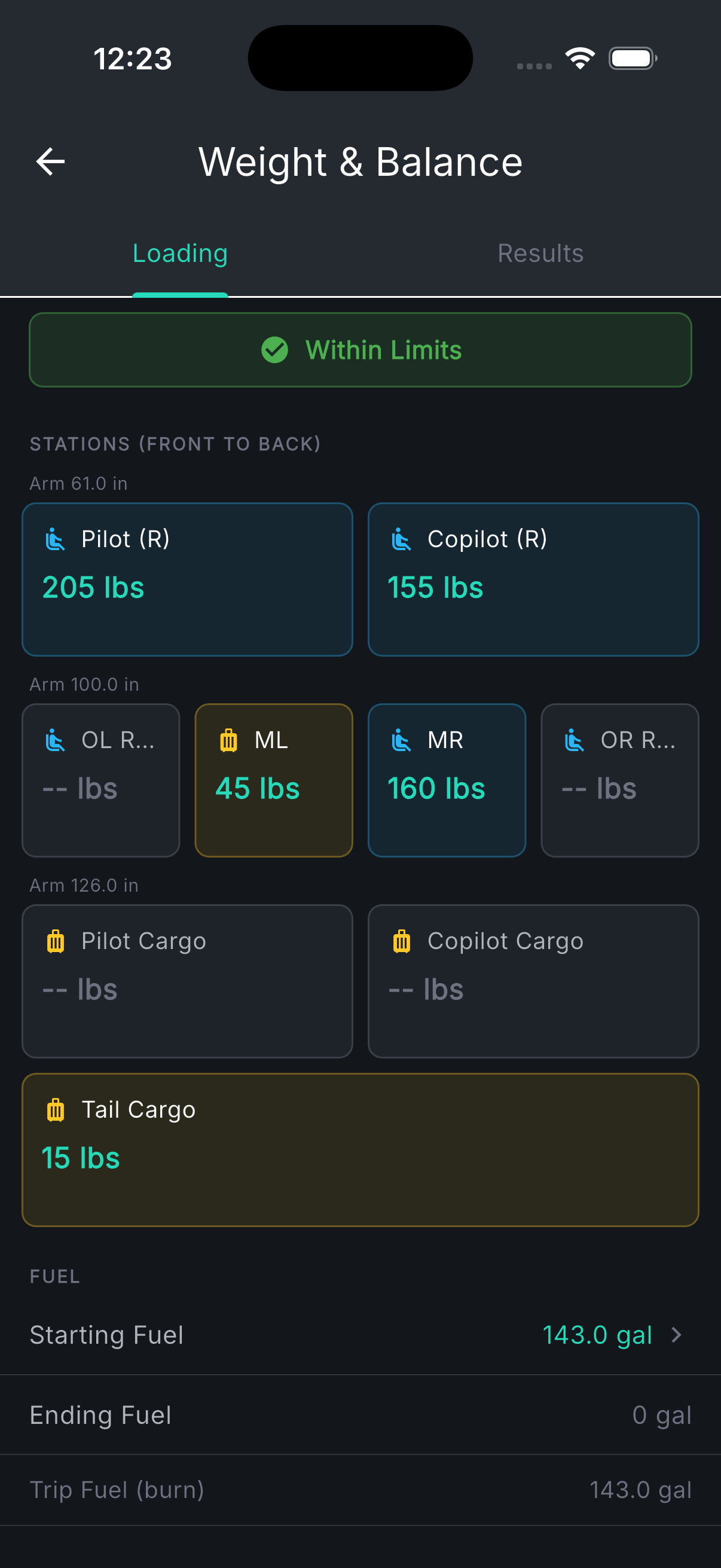
Weight and balance is not a separate checklist — it's part of building the flight. Station-by-station CG input with pilot, passengers, baggage, and fuel. The interactive envelope chart shows your CG position against the takeoff, cruise, and landing envelopes in real time. If you're over gross or out of the envelope, you know before you file. Fuel planning ties directly to your performance data: start fuel presets (Top Off, Tabs, or Min Required), auto-computed flight fuel from your aircraft profiles, editable reserve (30 min VFR / 45 min IFR), and your extra fuel margin clearly shown above minimums. Toggle between pounds and gallons with automatic density conversion by fuel type.
- Station-by-station CG input with arm and max weight per station
- Interactive CG envelope for takeoff, cruise, and landing
- Start fuel presets: Top Off, Tabs, Min Required
- Reserve, flight fuel, and extra margin clearly broken out
- Lbs / gal toggle with automatic fuel density conversion
See the terrain before you fly it.
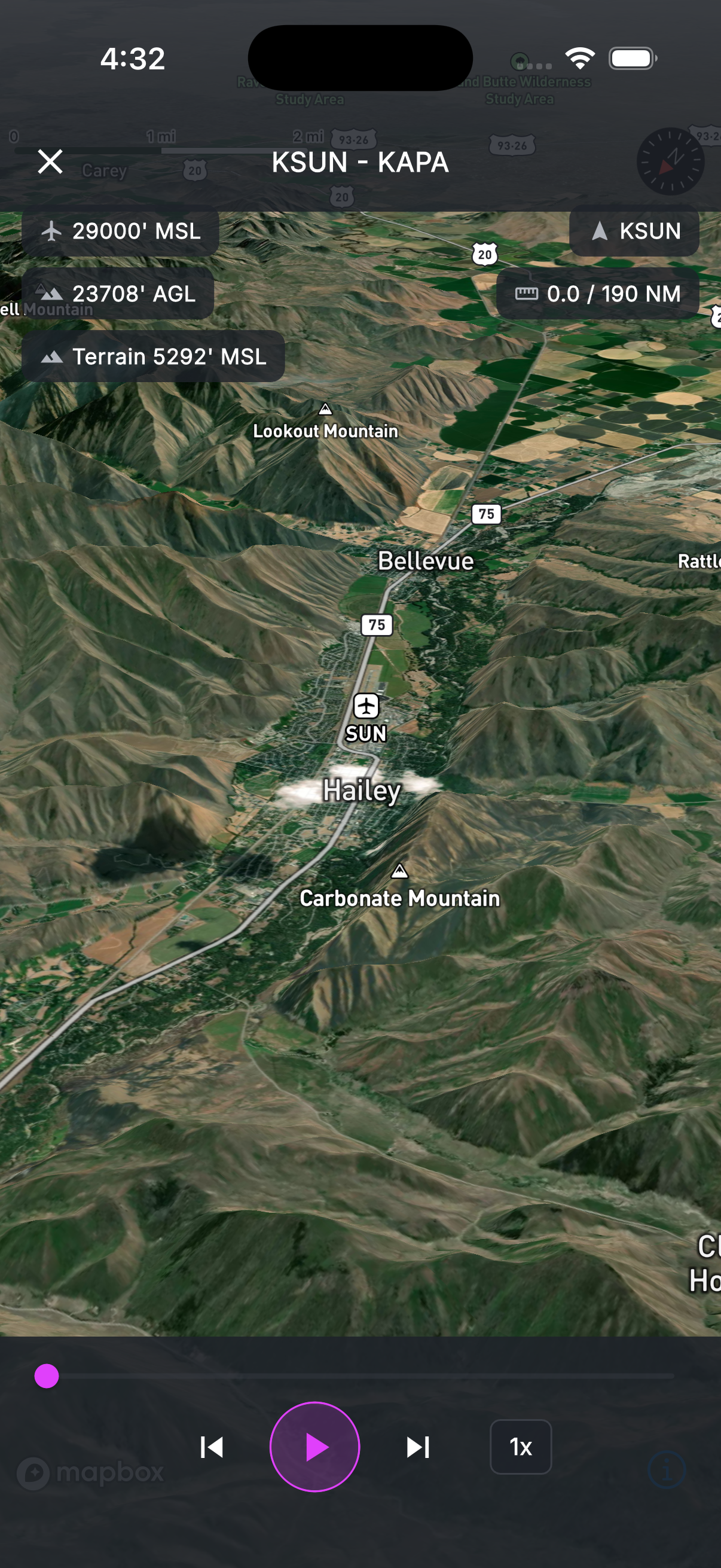
A 3D terrain model of your entire route — built from SRTM elevation data — lets you fly through the flight before engine start. The animated camera follows your flight path over the terrain showing MSL altitude, AGL altitude, terrain elevation, distance remaining, and current waypoint. Scrub through the route at 1x, 3x, 5x, 10x, or 20x to review any segment in detail.
- 3D terrain visualization along the full route
- Flight data overlay: MSL, AGL, terrain elevation, distance remaining
- Adjustable playback speed — 1x through 20x with scrub control
File it, log it, close it.
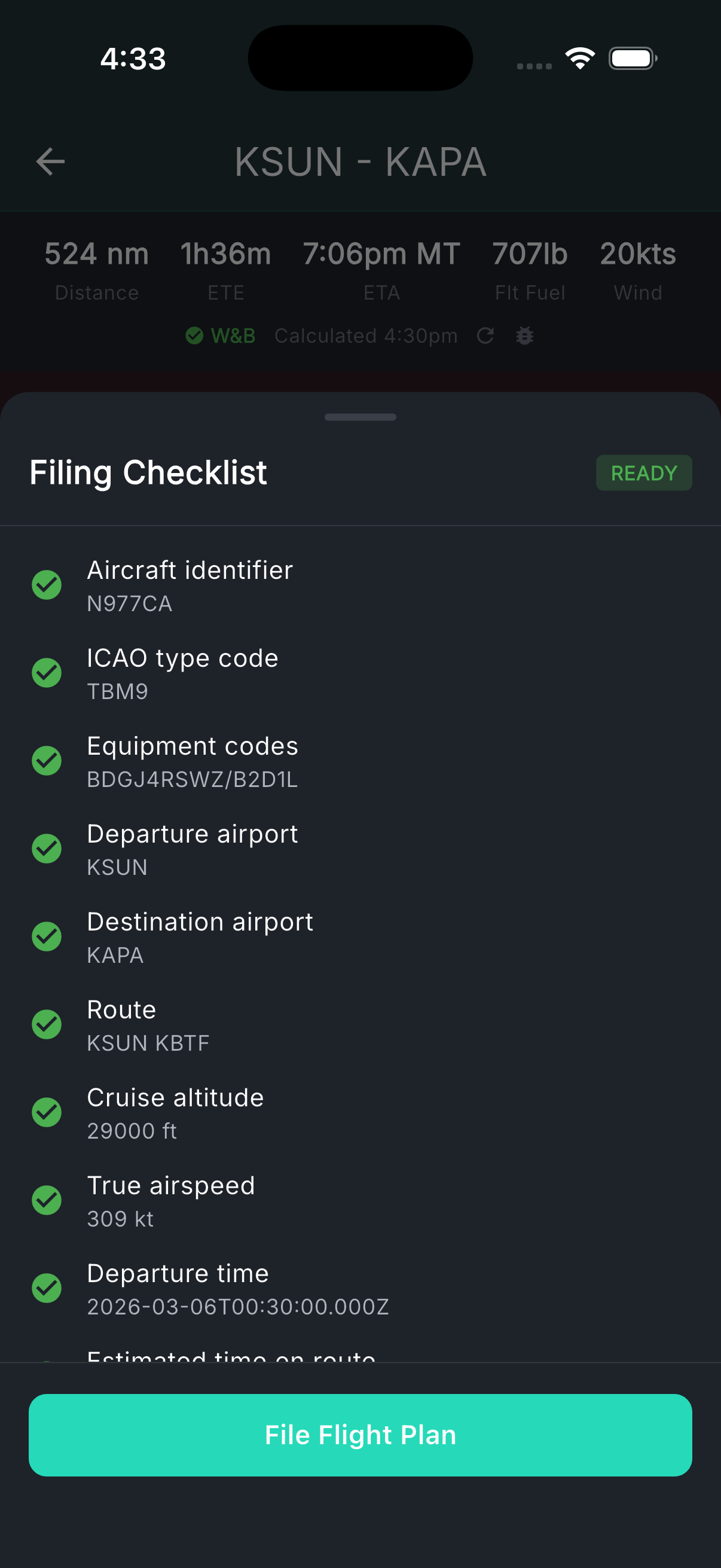
VFR and IFR flight plans file direct to the FAA through a pre-filing validation checklist that verifies aircraft ID, airports, route syntax, altitude, equipment, fuel, and alternates before you send. After filing, orange dots highlight exactly what changed if you amend — with a count badge so nothing slips through. If ATC modifies your route, sync the changes back with one tap. When you land, your track log feeds directly to the logbook: date, aircraft, route, distance, and day/night estimates auto-computed. Business expenses for the flight are logged alongside.
- VFR and IFR filing with pre-filing validation checklist
- Amendment tracking — orange dots show every change since last filing
- ATC route sync if they modify your route
- Automated track log → logbook with day/night estimates
- Business expense logging for the flight