
Your airplane. Configured once. Used every flight.
Enter your tail number and Tropiq pulls your aircraft type from the FAA registry. Add your performance profiles, fuel configuration, W&B stations, and maintenance schedule. Every flight plan, every briefing, every calculation uses your actual numbers — not generic estimates.
FAA registry lookup. Your airplane in seconds.
Type your N-number and Tropiq auto-fills aircraft type, serial number, category, engine configuration, and fuel type from the FAA registry — over 300,000 registrations. For common types, master profiles pre-load performance data, fuel tank configurations, W&B station definitions, and maintenance check schedules. You customize from there. Multiple aircraft, each with their own profiles, and one-tap switching between them.
- FAA N-number auto-lookup from 300K+ registrations
- Master profiles for common types with pre-loaded performance and W&B data
- Multiple aircraft with per-tail configurations
- Equipment list with ICAO filing codes auto-generated
- Service ceiling, wake turbulence category, and pressurization settings
Performance profiles your airplane actually flies.
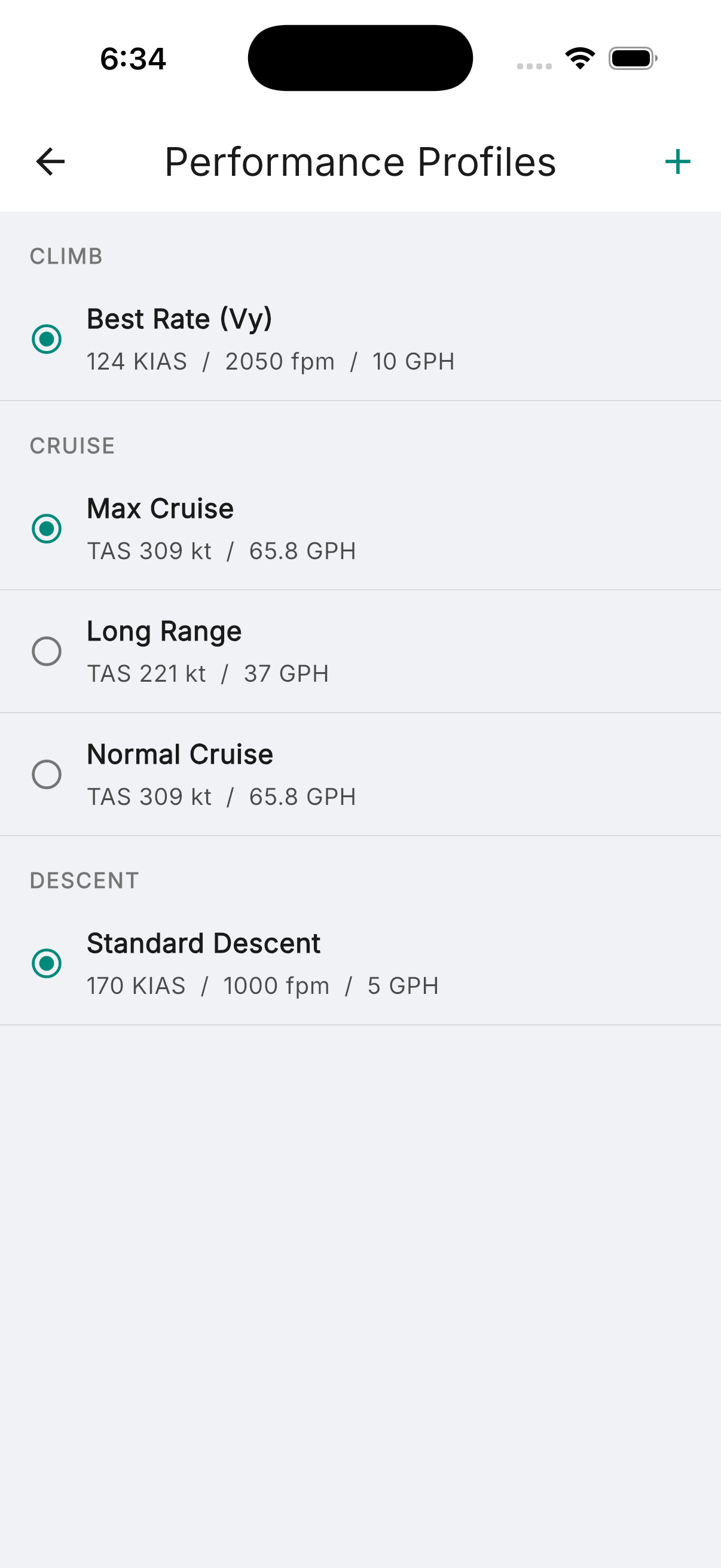
System profiles from the master database give you manufacturer-spec climb, cruise, and descent data. Custom profiles let you dial in your actual numbers — the fuel burn you see, not what the POH says. Multiple profiles per aircraft: Maximum Cruise, Economy, Long Range. Select a default, or choose per-flight. Every route calculation, fuel estimate, and ETE uses the profile you pick.
- System profiles from manufacturer data, fully editable
- Custom profiles with full climb/cruise/descent data
- Multiple profiles per aircraft — select per-flight or set a default
- Fuel burn rates by altitude and power setting
- Glide ratio and best glide speed for emergency glide range calculation
Maintenance tracking that actually gets used.
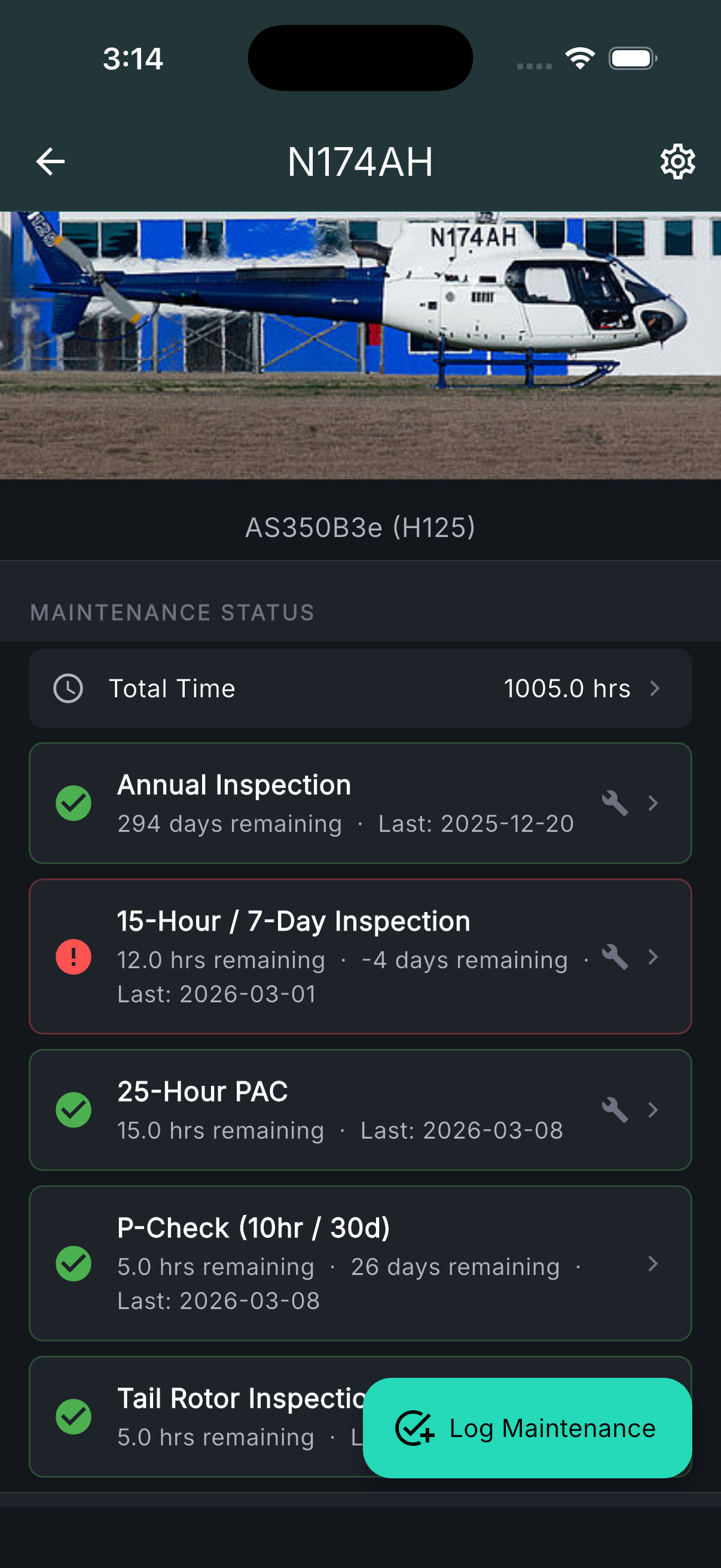
Define your maintenance schedule — annual, 100-hour, oil change, transponder check, pitot-static, ELT — with intervals in hours, days, or months. Log each completion with date, hours, mechanic info, photos, and notes. The maintenance dashboard shows status at a glance: green for current, yellow for due soon, red for overdue. Hours and days until next due are always visible. No more spreadsheets, no more guessing when the last oil change was.
- Custom maintenance check types with hour, day, or month intervals
- Completion logging with mechanic info, photos, and notes
- Currency dashboard: current, due soon, overdue — color-coded
- Hours and days remaining until next check due
- Mechanic signature tracking on maintenance logs
- Batch logging across multiple check types
Weight & balance from your actual POH.
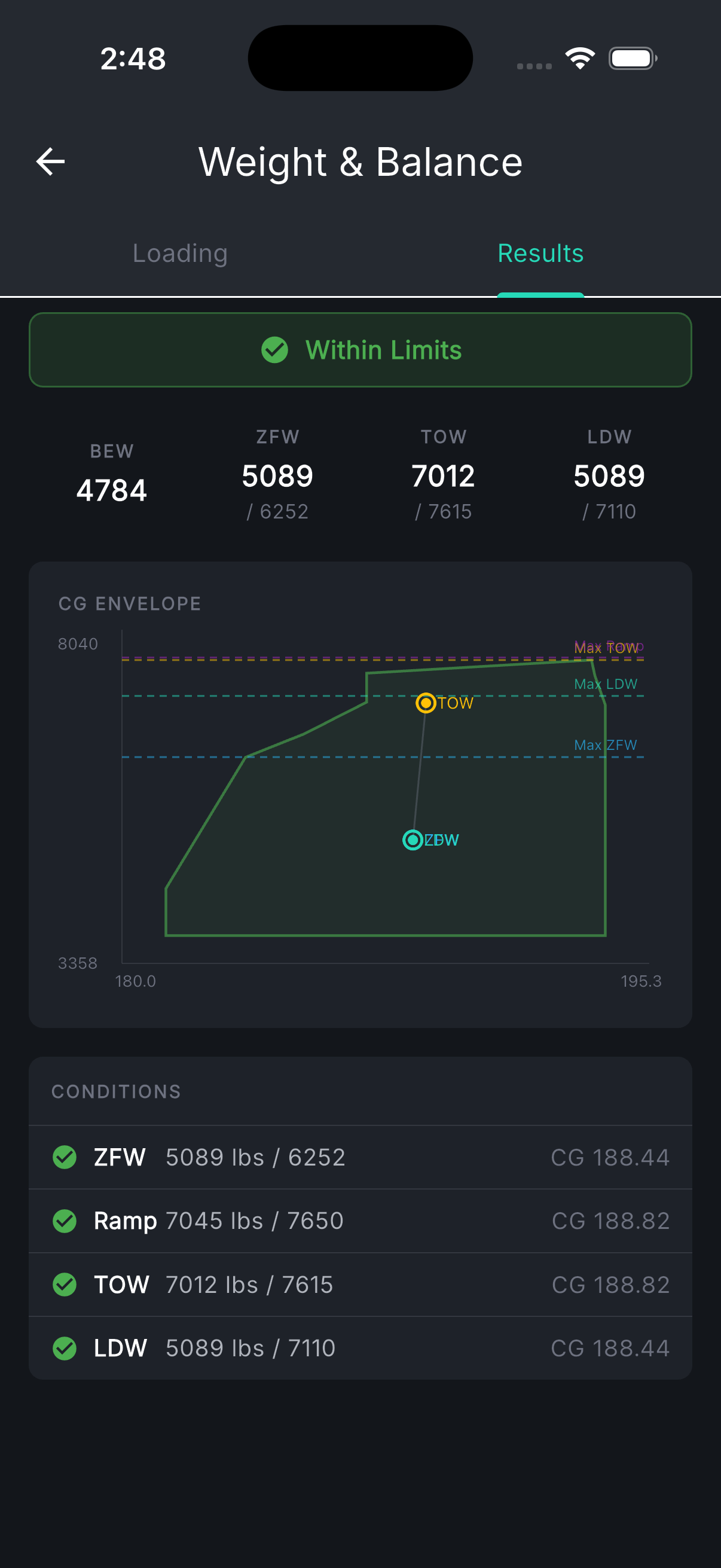
Station-by-station CG input with your airplane's actual arms, max weights, and envelope. Not a generic 172 envelope — your 172, with your STC mods and your baggage limits. Lateral CG for helicopters and asymmetric aircraft. Four weight conditions computed: Zero Fuel, Ramp, Takeoff, and Landing. The interactive envelope chart shows your CG position in real time as you adjust passengers, fuel, and cargo. Save loading scenarios for one-tap reuse: solo, dual, family trip, full fuel.
- Your actual arms, stations, and envelope — not generic type data
- Four weight conditions: ZFW, Ramp, Takeoff, Landing
- Lateral CG for helicopters and asymmetric aircraft
- Interactive envelope chart with CG travel visualization
- Saved loading scenarios for one-tap reuse
- Taxi fuel, trip fuel, and ending fuel integrated into CG computation
Documents tied to your tail number.
Attach maintenance records, service bulletins, ADs, insurance certificates, and registration documents directly to your aircraft profile. Organized in folders, stored in the cloud, accessible from any device. Switch between airplanes and your documents switch with you. No more digging through a physical binder or a generic cloud folder.
- Cloud-based document storage organized by aircraft
- Folder hierarchy for maintenance records, ADs, bulletins, and insurance
- PDF viewer with zoom, pan, and annotation
- Accessible from any device — phone, tablet, or desktop