
What is an EFB? Well, let's start with what is a flight bag. Under FAA guidance and the AIM, pilots are expected to carry the charts, maps, approach plates, airport diagrams, and reference material they need for a flight. For decades, that meant a physical bag — usually overstuffed, usually heavy — riding shotgun in the cockpit. Sectional charts folded the wrong way. Approach plates in a Jeppesen binder. A paper weight-and-balance sheet from the last annual.
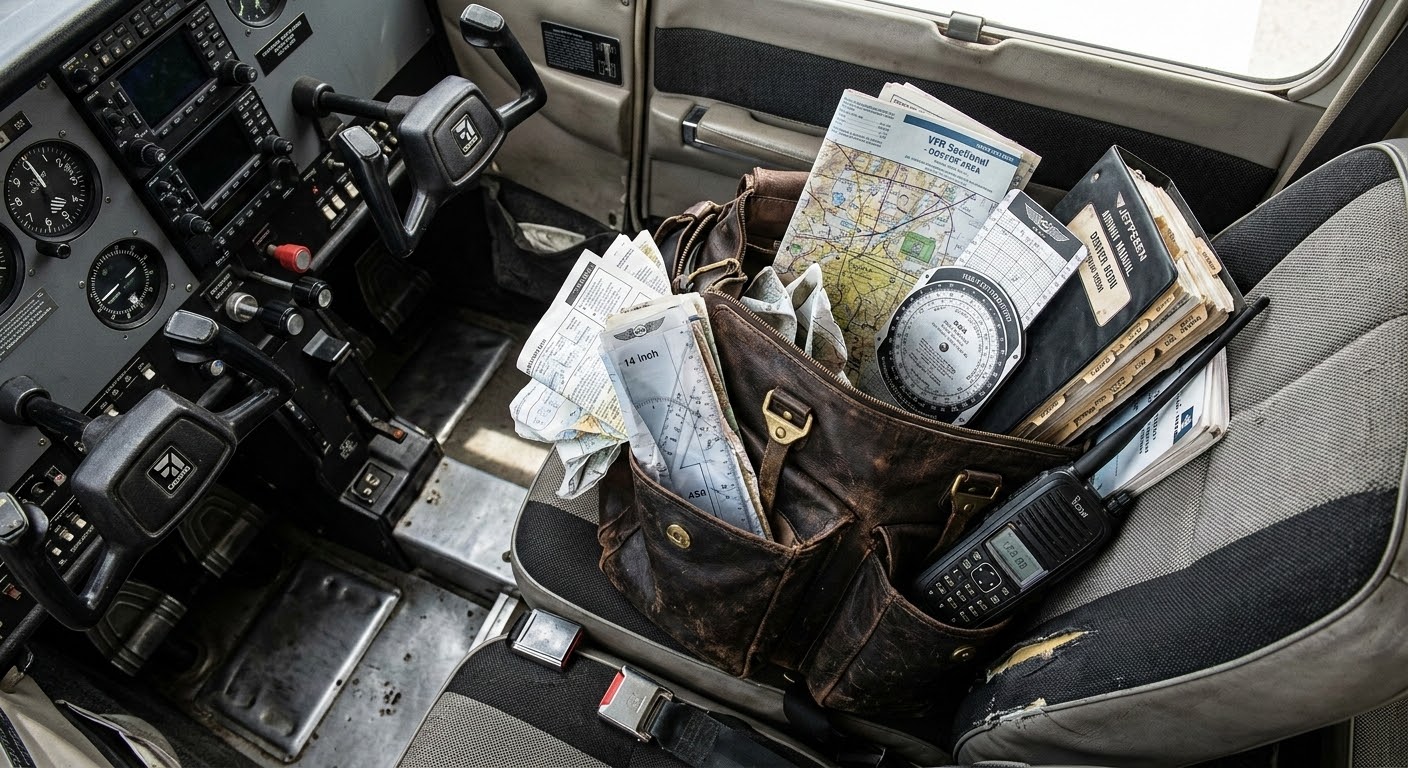
The "E" just stands for electronic. An EFB is the digital version of that bag. Instead of paper, you have a tablet. Instead of a binder of plates, now you have a tab called "Binder" that has your digital plates. Instead of pulling out a sectional and trying to find yourself on it, there's a moving map with a blue dot.
In my opinion, that shift has been one of the best things to happen to general aviation. Over the last decade or two, digital flight bags have made flying more accessible, more organized, and genuinely safer. Real-time weather on a moving map. Terrain awareness in your lap. Airport information that used to require a phone call, available at a glance. These tools have gotten more people into flying, and they've improved situational awareness for everyone who was already there.
The digital flight bag was a meaningful leap forward.
But replacing paper with digital paper and binders with a digital binder — that happened a long time ago.
It's 2026

We live in a world where you can ask your phone to order dinner, and it does. Where your car warns you before you drift out of a lane. Where AI can generate that flight bag photo above and you probably didn't question it.
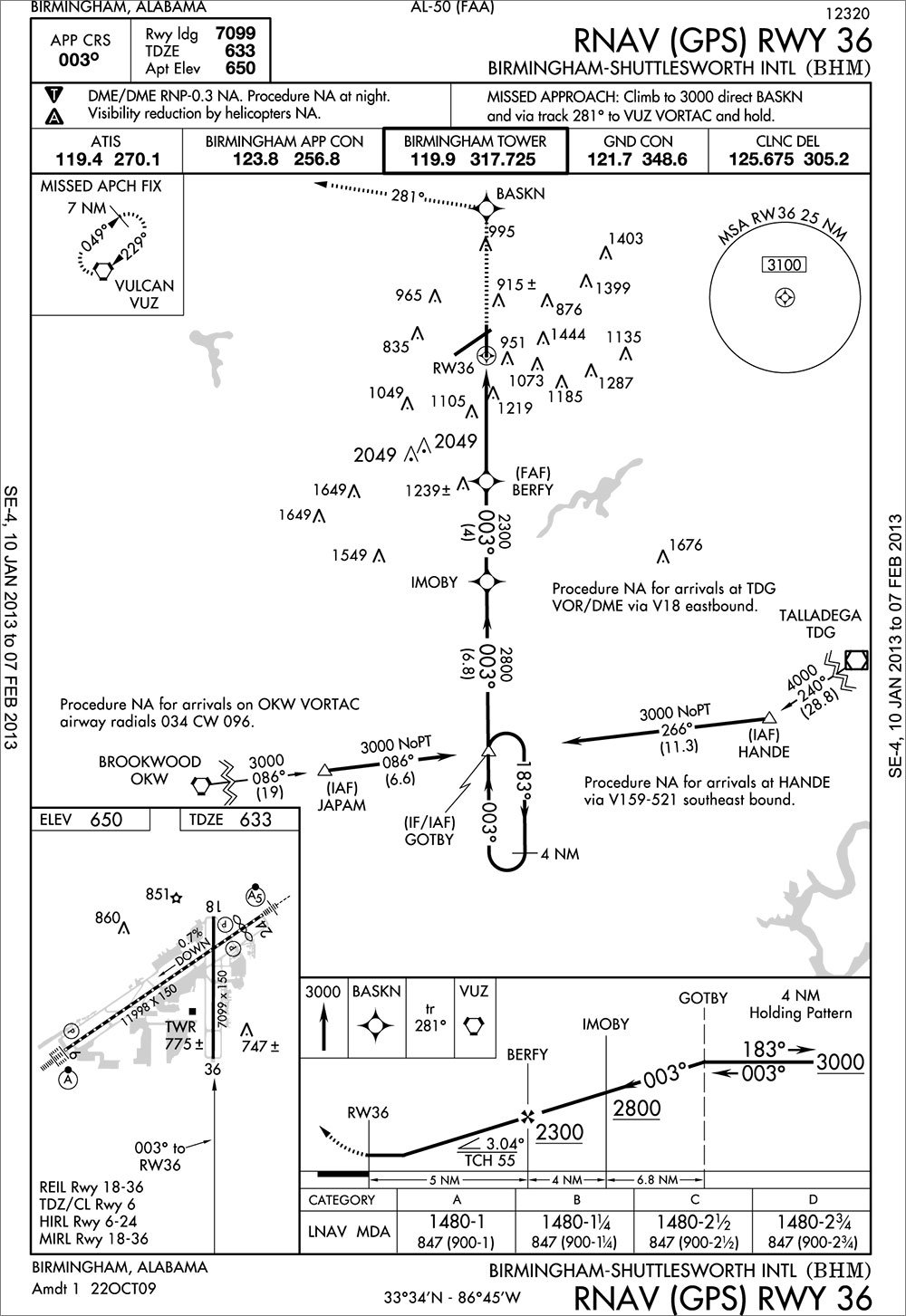
And then you open your flight bag, and it shows you a digital picture of an 8.5-by-11 approach plate.
The same approach plate that was designed for paper. The same dense formatting, the same assumptions about how a pilot consumes information — just rendered on a screen instead of printed on a page. You can pinch to zoom now. That's the upgrade.
I can load an approach I'm not authorized to fly. I can pull up speed references for an aircraft I'm not sitting in. I can scroll through every instrument procedure at an airport with no indication of which ones apply to me, right now, in this airplane, in these conditions. The app doesn't know and doesn't care, because it wasn't built to. It was built to replace paper. A really good, searchable, GPS-enabled replacement — but a replacement.
That's what happens when your starting point is "digitize the chart." You end up with a faithful reproduction of a system that was designed around the limitations of ink and cardstock. And you stop there.
Two Moments That Weigh on Me
Two accidents — both in 2026 — changed how I think about flight software. Not just as a pilot, but as someone building it.
The first was a helicopter crash near a small airport in Phoenix. An experienced pilot was flying with his two daughters and his niece. On approach, the helicopter struck a slackline — a known obstruction near the field. Everyone on board was killed.
I don't know what tools that pilot was using, if any. I can't say with certainty that anything would have changed the outcome. But the obstruction was documented. It was in the system. It was a known hazard, near a known airport, on a route that pilot had likely flown before.
You review the NOTAMs at your departure airport. Of course you do. You review your destination. But do you, every single time, pull the NOTAMs for every small airport you happen to fly near along the way? A random airpark three miles off your route? Most pilots don't.
That's exactly the point. You shouldn't have to. That's what the tool should be doing — pulling every note, every obstacle, every alert, not just at your departure and destination, but in the area around you the entire flight. Quietly, in the background. So that when there's something to see, it gets surfaced. Not because you went looking for it. Because the system was already looking.
The second accident hit closer to home. A pilot in a turboprop flew a night approach into a mountain airport — one I've personally flown into multiple times. The aircraft hit terrain.
We don't know exactly what happened in that cockpit. But here's what we do know: at that airport, a pilot flying an instrument approach down to minimums could load the visual approach. The system would let them. It would show this:
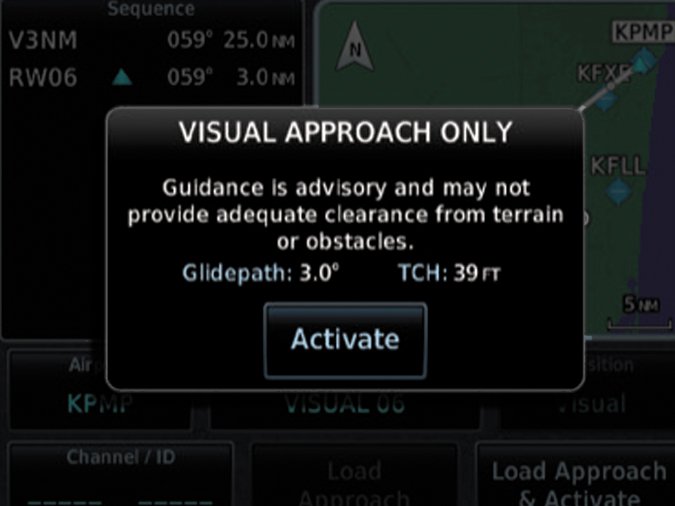
Hit "Activate," and you're on it. The same thing I've personally done at hundreds of other airports. The same thing a lot of us have done. And buried in the approach notes — a few sentences deep — is a line that says the visual approach is not authorized at night.
We're not going to solve every problem in aviation. But if we do our job right, accidents like these don't happen. There are meaningful problems that the tools pilots carry every flight could be solving — and aren't. That's what gets us out of bed.
Not a Training Problem
If all you want from an EFB is a digital version of paper, then sure — both of these are training problems. The information was available. The pilots should have found it. End of story.
I don't accept that framing anymore.
The system has the data. It knows what approach you're loading, what time it is, what aircraft you're flying, and what restrictions apply. It has every piece of information it needs to say something. The fact that it doesn't isn't a reflection of what's technically possible. It's a reflection of what the tool was designed to be.
Current EFBs are more like a filing cabinet. They have all the information you need. It's your job to go find it. They're not warning you about what's inside the folder. They just hold the folder.
That's Tropiq
I don't want to build a better filing cabinet. There are good ones already, and they've earned their place in general aviation.
I want a flight partner. A copilot. A dispatcher like what the airlines have — someone who's looked ahead, built the picture, and flagged what matters before you even push back. GA pilots have never had that. They've had better and better apps for displaying information, but nobody's been looking ahead for them.
That's what Tropiq is built to do.
When I hit icing conditions at cruise, I want the system to already know where the tops are and what my nearest escape looks like. When the weather at my destination drops below minimums while I'm en route, I want to know before I get there — not after I've shot the approach. When I'm flying a 172 and pull up performance data, I want to see numbers for a 172, not a menu of every aircraft in the database.
I don't need every NOTAM at every airport within a hundred miles. I need the ones that affect my route, my altitude, my aircraft, right now. I don't need a library of every approach at the field. I need to know which ones I can actually fly, in this airplane, in these conditions, tonight.
That's what we're building. Not an electronic flight bag — an electronic flight partner. One that earns the screen space it takes up in your cockpit by doing more than showing you what paper used to show you, just brighter.
We won't charge you more for the things that keep you safe. Terrain alerts, obstacle data, icing layers, runway conditions — those are on every tier. There is no paywall on safety information.
Early access is open. If you fly, we'd like you to fly with us.
Noah
Founder & CEO of Tropiq · Commercial, Instrument, ASEL, Rotorcraft